Most of the delay in a workers' compensation audit happens before anyone opens a spreadsheet. It happens while somebody hunts for a 941 sitting in an accountant's inbox from eighteen months ago.
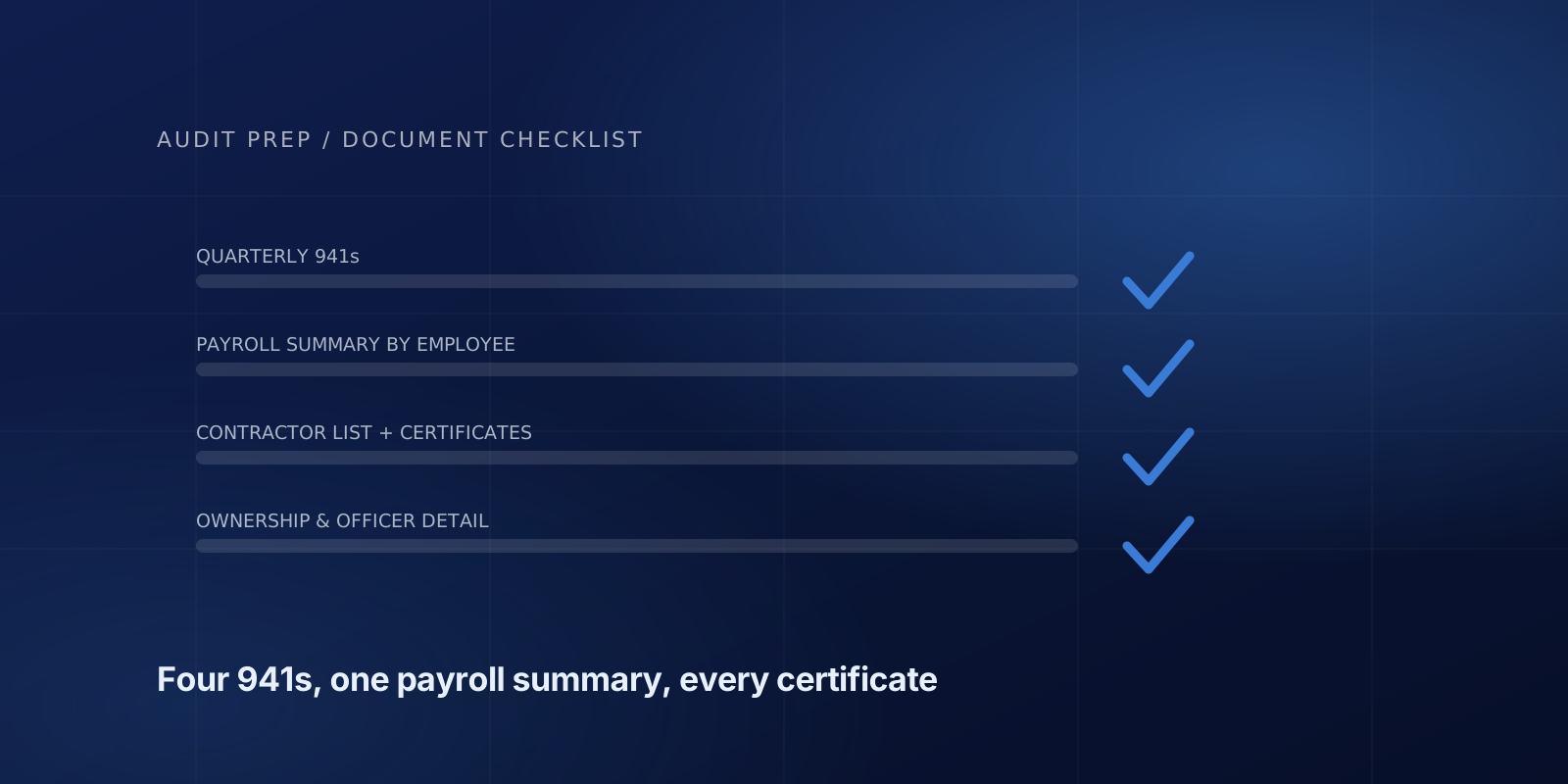
The core of a workers' comp audit checklist is four documents: the quarterly Form 941s for the policy period, a payroll summary by employee with overtime in its own column, a list of subcontractors with their certificates of insurance, and ownership and officer details.
Here's the full checklist, in the order that actually saves time. Gather all of it before replying to the audit notice. Sending it in one batch is the difference between finishing this week and finishing next month. To have this list built around your own policy dates and payroll system, use the audit checklist generator. For the wider picture of how the audit itself runs, see what actually happens in a workers' compensation audit.
Start with the hardest one: your 941s
You need all four quarterly federal tax returns covering the policy period. Not the calendar year — the policy period, which usually straddles two calendar years.
These are first on the list because they're the ones you probably don't have. They were filed by your accountant or your payroll provider, and they rarely live in the same place as your payroll reports. Ask for them today, before you do anything else on this list.
If your policy ran July 1 to June 30, you need Q3 and Q4 of the first year plus Q1 and Q2 of the second. Four documents. All of them.
Payroll summary, by employee, with overtime broken out
One report, covering the full policy period, showing for each employee:
- Name
- Gross wages
- Overtime paid, in its own column
- Job title or a description of what they actually do
That overtime column is not a formality. In most states the premium portion of overtime is excluded from the audit basis — if someone earns $28 an hour and gets $42 for overtime, only the $28 base counts as exposure. But it can only be removed if your report separates it. A single lump "gross pay" number means the whole thing gets rated, and you pay more than you owe.
How to pull it:
ADP — Reports, then Payroll, then "Payroll Summary." Set the date range to your policy period, not the calendar year, and include the earnings breakdown so overtime lands in its own column.
QuickBooks Online — Reports, search "Payroll Summary by Employee," set the custom date range, and run it. Export to Excel rather than PDF if you can; it avoids re-keying on the other end.
QuickBooks Desktop — Reports, Employees & Payroll, "Payroll Summary." Same date range rule.
Many audit firms send short walkthroughs for all three along with the audit notice. They exist because the wrong export is the most common thing that has to be requested twice.
Everyone you paid who wasn't an employee
This is where audits get expensive, so read this part carefully.
You need a list of every subcontractor, 1099 contractor, day laborer, and casual worker you paid during the policy period, with the amount paid and what they did. And for each one, a certificate of insurance showing they carried their own workers' compensation coverage during the time they worked for you.
No certificate means most states let your carrier treat those payments as your payroll. Someone you paid $60,000 to as a contractor can become $60,000 of rated exposure at your class code.
The certificate has to cover the dates they worked. A current certificate for someone who did the job last October doesn't establish they were covered last October. Collect these when you hire, not when the auditor asks.
If a contractor is genuinely uninsured and you know it, say so up front. It's a real cost, but it's a much smaller problem when it's expected than when it surfaces in the final report.
The supporting records
Depending on the business, an audit may also require:
- General ledger or profit and loss — mainly to reconcile cash paid to contractors and catch payments that never touched payroll
- 1099-NEC forms issued for the period
- Job cost or time records if employees split work across trades, since that's what supports splitting their payroll across class codes (the class code guides explain what common codes cover)
- Certificates of insurance for anyone in the contractor list above
- Ownership and officer information — names, titles, and whether each officer elected in or out of coverage, since states cap or exclude officer payroll differently
Things people get wrong
Reporting the calendar year. Your policy period is what matters. Pulling January to December when your policy runs April to March means every number is wrong.
Netting out deductions. The audit uses gross wages before taxes, insurance, and garnishments. Take-home pay is not the audit basis.
Leaving out bonuses and commissions. Both are generally included. Leaving them out doesn't save you anything; it just means a correction later.
Forgetting a second state. If anyone worked in a state that isn't on your policy, say so. That's a coverage issue, not just an audit issue, and it's better found now.
Assuming your accountant sent it. Confirm they did. Plenty of audit follow-ups go to people who assumed this was already handled.
If your business changed mid-year
Say so in the first email. Specifically:
You dropped or added a service line. You brought subcontracted work in-house, or pushed employee work out to contractors. You opened, closed, or moved a location. An owner started drawing a salary, or stopped.
All four change how payroll gets classified, and all four are far easier to handle before the calculations are done than after.
The short version
Four 941s. One payroll summary by employee with overtime split out. A contractor list with certificates. Ownership details. Anything unusual, explained in writing.
Sent in one batch, the analysis is usually finished within a few days of the documents arriving.
Not sure what your payroll system calls the report you need? Ask before you export. That one question routinely saves a week.
Frequently asked questions
How many Form 941s does a workers' comp audit need?
One for every calendar quarter the policy period touches. Most policies land on four, but a policy that starts partway through a quarter covers five. Use the policy dates, not the calendar year.
Which payroll report should I run for a workers' comp audit?
A payroll summary by employee covering the full policy period, with overtime in its own column and a job title for each person. In QuickBooks Online it is Payroll Summary by Employee; in ADP it is Reports, then Payroll, then Payroll Summary with the earnings breakdown switched on.
Do I need certificates of insurance for subcontractors?
Yes, one for each subcontractor, covering the dates they actually worked. Without a valid certificate, most states let the carrier treat those payments as your payroll.
What owner information does the audit need?
Names, titles, ownership percentages, and whether each officer or owner elected in or out of coverage. States cap or exclude owner payroll differently, and the auditor can only apply those rules to people identified as owners.